
Guide · USB DMX
USB-to-DMX interfaces and setup.
The two interface types, setup, and common fixes.
What is a USB-to-DMX interface?
A small adapter that turns your computer's USB port into a DMX output. The software does the thinking; the interface converts the data into the DMX512 signal your fixtures understand. For a single universe it is the simplest and cheapest way into computer-controlled lighting.
The two types - and why it matters
Almost every affordable USB DMX interface is one of two designs. SDC supports both, with a dedicated output engine for each.
Pro-style interfaces
Enttec DMX USB Pro, Eurolite USB-DMX PRO and similar. They carry their own processor to generate the DMX signal, show up in Windows as a COM port, and keep rock-solid timing with minimal load on your PC.
Open DMX-style interfaces
Enttec Open DMX USB, Eurolite USB-DMX and similar - essentially a USB serial chip (FTDI) wired straight to a DMX plug, with the computer generating the DMX timing. Cheaper, and they work fine using the FTDI D2XX driver.
Which should you buy?
Buying new: a Pro-style interface is worth the extra money for its timing. Already own an Open DMX-style adapter? Use it - SDC drives it fine. And if you might grow past one universe later, read the Art-Net guide before buying anything.
The hardware page lists the devices we have personally tested with SDC.
Setting up USB DMX in SDC
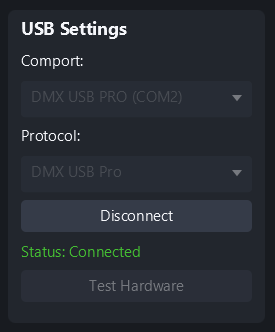
Plug in the interface before starting SDC.
Open Settings.
Pick your device from the dropdown.
Move a fader. Your fixtures respond.
Installing the driver
If SDC's Hardware Test says your adapter's driver isn't installed, or that it has the wrong driver, this is almost always a quick fix.
Both adapter types - Pro-style and Open DMX-style - use a chip made by FTDI, and Windows needs FTDI's driver to talk to it. On a new or freshly reinstalled PC it is often missing. One driver covers both types.
Go to FTDI's driver page: ftdichip.com/drivers/d2xx-drivers
In the "Currently Supported D2XX Drivers" table, in the Windows (Desktop) row, click the version number in the X64 (64-bit) column, for example 2.12.36.20. This downloads a zip file. Don't use the "No Longer Supported" table further down.
Unzip it to a folder you can find again, for example your Desktop.
Plug in your adapter. Open Device Manager (right-click the Start button), right-click the adapter - often under "Other devices" with a yellow mark - and choose Update driver, then Browse my computer for drivers. Select the unzipped folder and click Next.
Restart your computer. The driver only takes full effect after a restart.
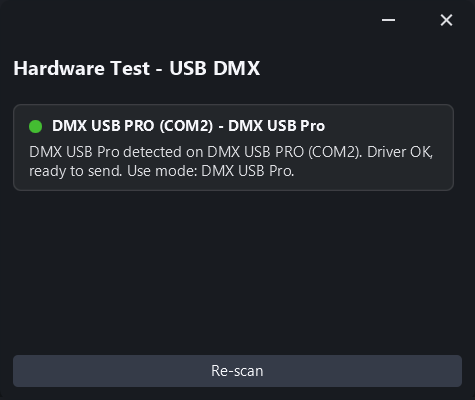
Open SDC's Hardware Test and press Re-scan. It should now show green - ready to send.
Troubleshooting
Device not in the dropdown
Open DMX-style interfaces need the FTDI D2XX driver. If it isn't installed, follow Installing the driver above.
Device found but no output
Check the DMX cable direction, and that your fixture's DMX address matches the address in SDC.
“Device busy”
Another program - or a previous session - is holding the interface. Close other lighting software and reconnect.
SDC also includes a built-in Hardware Test that probes your USB devices and shows what it finds - useful when you are not sure Windows even sees the interface.